
Garry's Mod

DarkRP server hosting

The DarkRP gamemode and DarkRP Modification install from the panel's Addons page. Your jobs, your map and your Workshop collection are set in the same place.

Install DarkRP

  1. Open your server's Addons page in the panel.
  2. Install DarkRP, then DarkRP Modification.
  3. In the configuration, set the gamemode to darkrp.
  4. Choose the starting map, then restart the server.

The files go into your server's gamemodes and addons folders. You can edit them afterwards from the file manager or over SFTP.
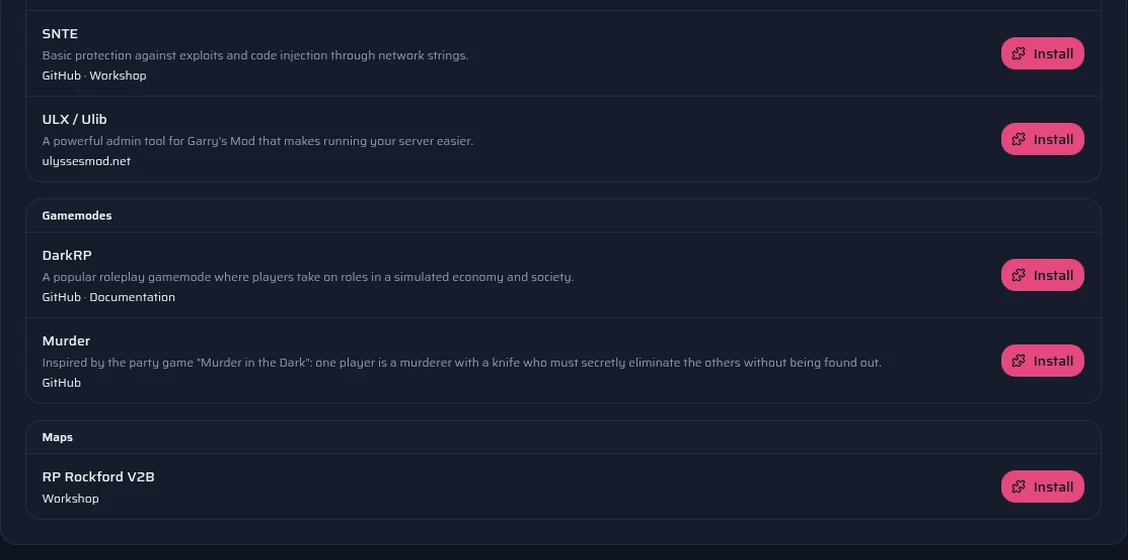
The panel's Addons page: DarkRP, DarkRP Modification, ULX, Wiremod and the other one-click addons.

Jobs, items and settings

DarkRP Modification lets you create your jobs, the items you sell and your settings without writing Lua by hand. To go further, the file manager gives access to every file of the gamemode.

ULX, a widely used administration tool, also installs in one click from the Addons page.

Map, Workshop and game content

The rp_rockford_v2b map installs from the Addons page. For another map, or for the vehicles, weapons and models of your server, create a collection on the Steam Workshop and paste its ID in the configuration. The addons download when the server starts, and your players get them from Steam.

Many maps and addons use textures from Counter-Strike: Source, Half-Life 2 or Team Fortress 2. Enable that content on your server from the panel. Your players must also have it installed on their computer, or they will see purple textures and red errors.
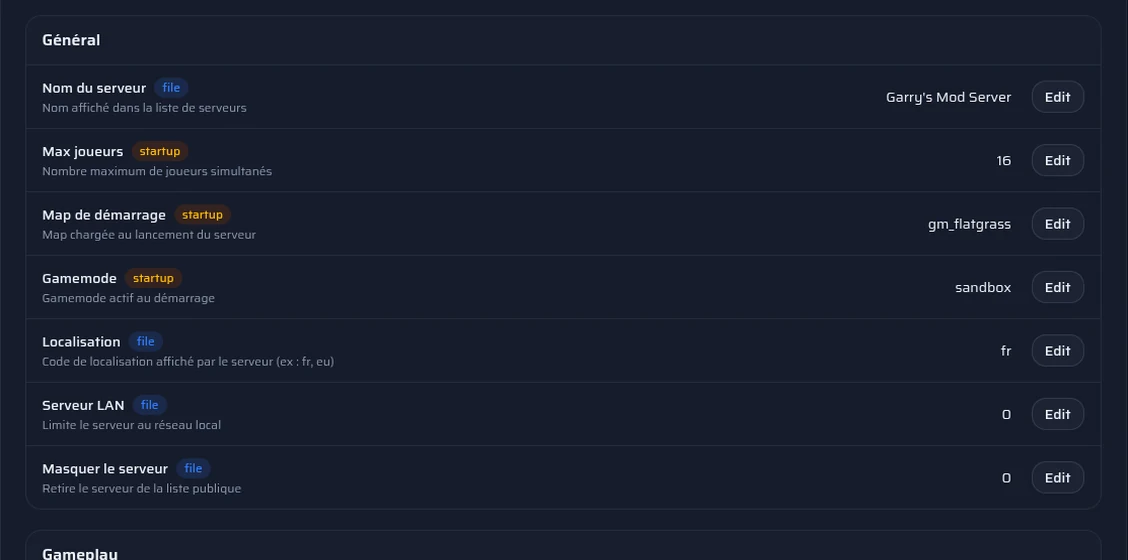
The panel's Configuration page: gamemode, starting map and Workshop collection.

Check addons before you install them

An addon downloaded from outside the official Workshop can contain a backdoor. The panel's Security page scans your Lua files and flags suspicious lines: code executed on the fly, code downloaded from elsewhere, hidden code.

A flag is not proof. If in doubt, download the addon again from its official page.
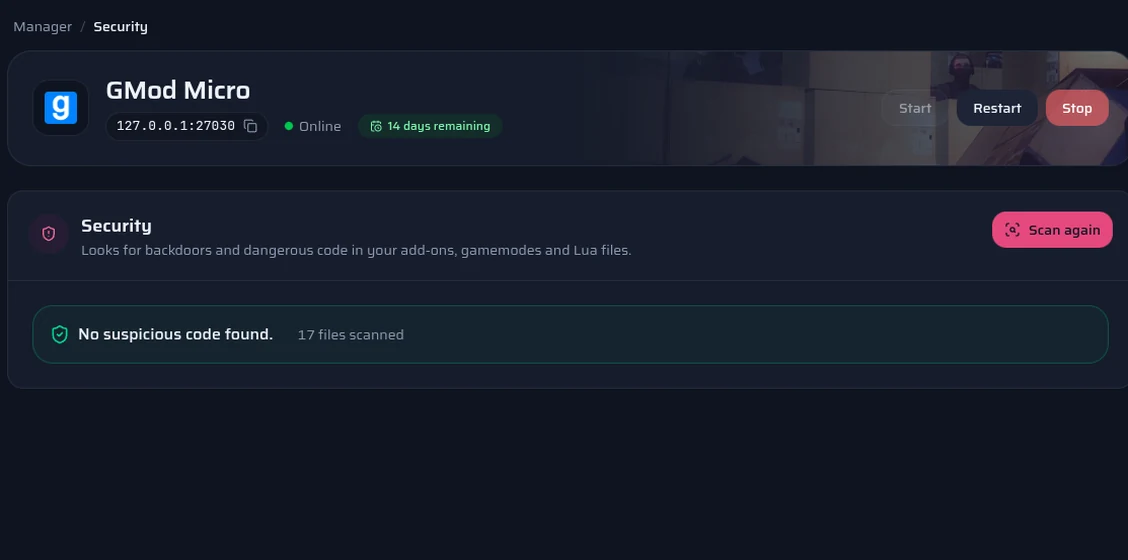
The panel's Security page: the addon scan and the suspicious lines it flags.

Which plan for your DarkRP server?

The same plans as on the Garry's Mod page, with the same panel. You can change plan later.

  1. Small server for friends

    A light DarkRP with a few addons

    Suggested: GMod Micro

    4 GB of RAM · €5.00 / month

    Order
  2. Community server

    Several addons and regular players

    Suggested: GMod Mega

    8 GB of RAM · €7.50 / month

    Order
  3. Large RP server

    Many addons, scripts and custom content

    Suggested: GMod Ultime

    16 GB of RAM · €15.00 / month

    Order

These suggestions are a guide: what you install matters as much as the player count. You can switch plans later.

Compare all Garry's Mod plans

Frequently asked questions

Do you have any questions or specific needs? Contact Us

Yes! DarkRP and DarkRP Modification are free and can be installed straight from your panel's Addons page, at no extra cost. Garry's Mod itself, however, is a paid game that every player must own to join your server.

Our panel offers the rp_rockford_v2b map, which you can install in one click from the Addons page. You can also use another map that works with DarkRP by installing it on your server, then entering its name in the configuration.

Install ULX from your panel's Addons page. You can then give yourself admin or superadmin permissions with ULX commands and your Steam ID.

You can set the maximum number of players in your server's configuration. The real capacity depends on the available resources, mainly the processor, the memory and the installed addons. A server with many scripts or custom entities may need more resources.

Use the security scan in your BerryHeberg panel. It examines the Lua files and flags suspicious behavior, with the file name and the line concerned. This helps spot some code downloads or suspicious executions. A flag does not necessarily mean an addon is malicious, however, and no scan guarantees that every backdoor will be found.

See also