
Garry's Mod

TTT server hosting

TTT (Trouble in Terrorist Town) ships with Garry's Mod. Pick the terrortown gamemode, add your maps through a Workshop collection and restart.

Start a TTT server

  1. Open your server's configuration in the panel.
  2. Set the gamemode to terrortown.
  3. Choose a starting map whose name begins with ttt_.
  4. Restart the server.

There is nothing to install for the gamemode itself. Round settings go in the server.cfg file, explained below.
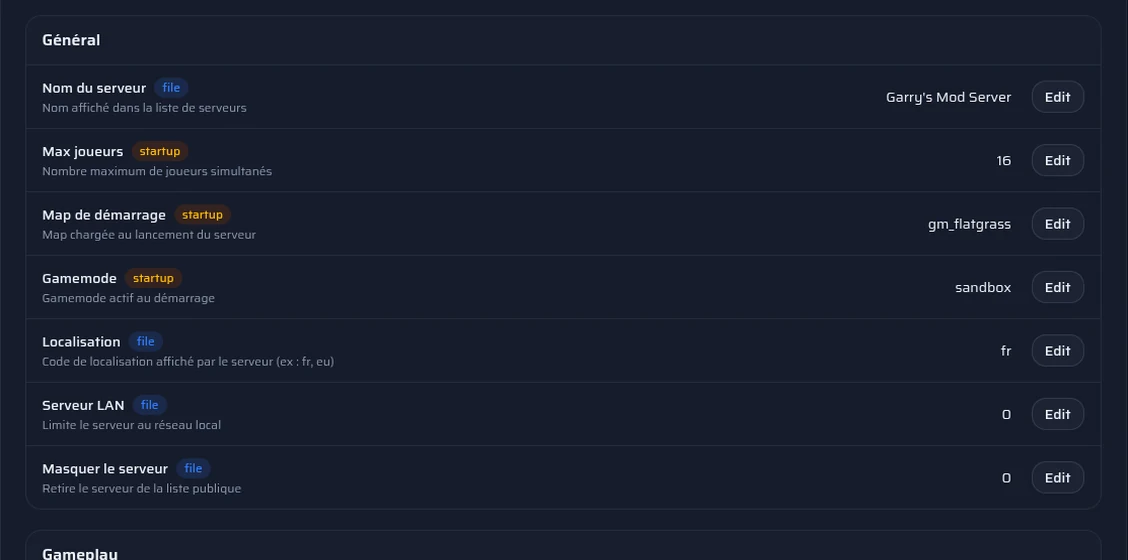
The panel's Configuration page: gamemode, starting map and Workshop collection.

Set up your rounds

TTT's settings are ttt_ commands that you write in the server.cfg file, from the file manager, before restarting. The main ones, with their default value: ttt_round_limit (6 rounds per map), ttt_time_limit_minutes (75 minutes per map), ttt_preptime_seconds (30 seconds of preparation), ttt_posttime_seconds (30 seconds of pause after each round), ttt_traitor_pct (0.25, a quarter of the players are traitors), ttt_detective_pct (0.13), ttt_detective_min_players (at least 8 players to have detectives) and ttt_karma (1 to turn karma on).

Each setting takes one line, for example ttt_traitor_pct 0.3.

Add maps

Create a collection on the Steam Workshop with your TTT maps and paste its ID in the configuration. The maps download when the server starts, and your players get them from Steam when they connect.

Counter-Strike: Source content

Many TTT maps use Counter-Strike: Source textures. Enable that content on your server from the panel. Your players must also have that content installed on their computer, or they will see purple textures and red errors.

Run your rounds

ULX installs in one click from the panel's Addons page. Once you are connected to the server, type ulx adduser "your name" superadmin in the panel's console to give yourself every right, or ulx adduserid with your Steam ID if you are not online. The logs and your commands stay available in the console, without leaving the browser.
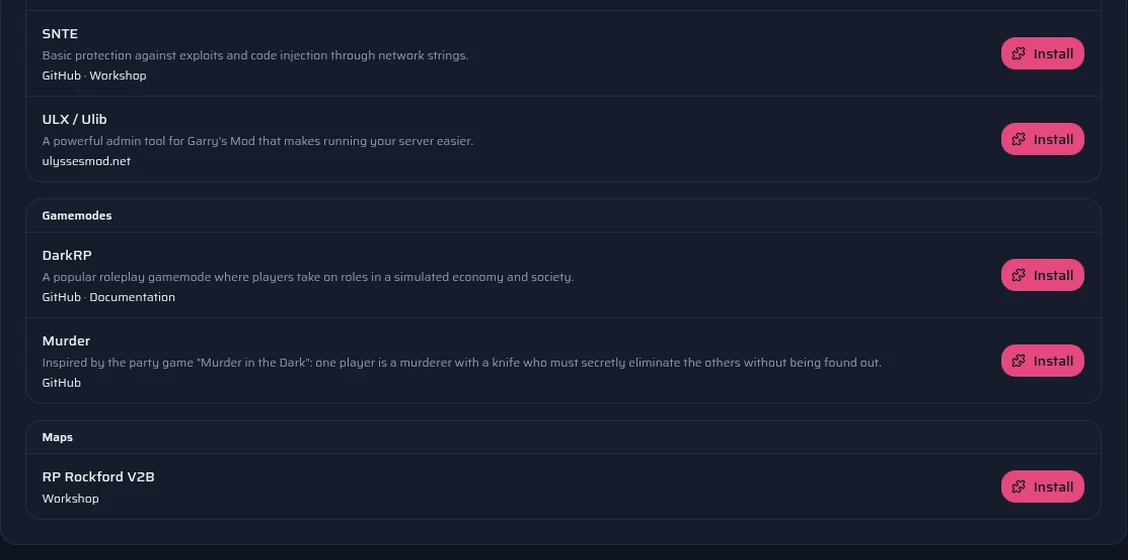
The panel's Addons page: DarkRP, DarkRP Modification, ULX, Wiremod and the other one-click addons.

Which plan for your TTT server?

The same plans as on the Garry's Mod page, with the same panel. You can change plan later.

  1. Games with friends

    One map, few addons

    Suggested: GMod Nano

    2 GB of RAM · €3.00 / month

    Order
  2. Public server

    Several maps, addons and regular players

    Suggested: GMod Micro

    4 GB of RAM · €5.00 / month

    Order

These suggestions are a guide: what you install matters as much as the player count. You can switch plans later.

Compare all Garry's Mod plans

Frequently asked questions

Do you have any questions or specific needs? Contact Us

Yes, Trouble in Terrorist Town is a gamemode that ships with Garry's Mod. You only have to pick it in the configuration: its name is terrortown.

Through a Steam Workshop collection. Paste its ID in the configuration: the maps download when the server starts.

Install ULX from the panel's Addons page. Once you are connected to the server, type ulx adduser "your name" superadmin in the panel's console, or ulx adduserid STEAM_0:0:12345 superadmin with your own Steam ID. For special cases, ULX's documentation is the reference.

The maximum is set in the configuration. On a TTT server, the addons you add weigh more than the player count.

Because content that the map or an addon needs is missing, on the server or on the player's side. Enable the Counter-Strike: Source content (or Half-Life 2 or Team Fortress 2) in the panel, and check that your players have it installed too.

See also