NeoForge, the successor of Forge
NeoForge was started in 2023 by most of the Forge team. Since Minecraft 1.20.2, most big content mods, such as Create, Mekanism or Applied Energistics 2, and big modpacks such as All the Mods come out for NeoForge.
Since that version, a Forge mod no longer loads on NeoForge: take the NeoForge version of the mod, which exists for most big mods. Forge itself cannot be installed from the panel.
NeoForge does not load Bukkit or Paper plugins. For plugins, stay on Paper; for light mods and one-click Modrinth modpacks, choose Fabric.
Official documentation: NeoForge
Install NeoForge
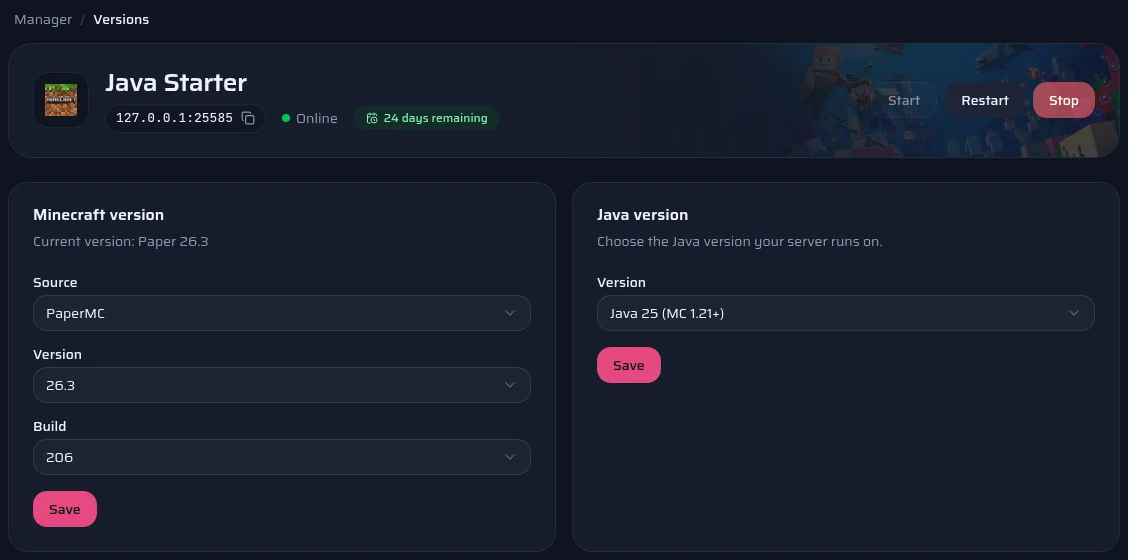
- Open your server's Versions page.
- Pick NeoForge, the Minecraft version, then the NeoForge version: the newest one almost always fits.
- Save. The panel runs NeoForge's official installer with the server stopped: allow about a minute.
- The server starts again by itself if it was running.
A world made by Paper does not open with NeoForge. If nobody has played it yet, the panel replaces it without asking. Otherwise it offers to start a new world and keeps the old one in a separate folder.
Install mods
- Open your server's Marketplace page, Mods tab.
- Search for the mod, for example Create or JEI.
- Pick a version. The panel only offers those declared compatible with your Minecraft version and NeoForge.
- The file goes into the mods folder. Restart the server to load it.
Your players must install NeoForge and the same content mods, at the same versions. A mod that only works on the server side does not need to be on their side.
Official documentation: Modrinth
Host a NeoForge modpack
- Note the pack's Minecraft version and NeoForge version, on its Modrinth or CurseForge page.
- Install that NeoForge version from the Versions page.
- Download the server files the author publishes (the Server Pack) and upload their mods, config and defaultconfigs folders over SFTP, with kubejs if there is one.
- Start the server and read the console: a missing or duplicate mod is named there.
The pack's start scripts, such as startserver.sh, are not used: the panel starts NeoForge itself. One-click install only exists for Fabric modpacks for now; for a NeoForge pack, follow the steps above.
Official documentation: CurseForge