
Minecraft Java

Minecraft Purpur server hosting

Purpur installs in one click from the panel's Versions page. You keep your Paper plugins and your world, and you tune the gameplay in purpur.yml.

What Purpur adds to Paper

Purpur is a fork of Paper. It keeps its plugin compatibility and adds gameplay options in a purpur.yml file: riding mobs, changing how some mobs behave, adjusting rules the base game does not let you change.

If you need none of those settings, Paper is enough.

Official documentation: Purpur

Switch your server to Purpur

  1. Open your server's Versions page.
  2. Pick Purpur, the Minecraft version, then the build: the latest one is almost always fine.
  3. Save. The server stops, Purpur is installed, then the server restarts if it was running.

Purpur opens worlds created by Paper or Vanilla: your builds stay in place. Still take a backup first, it restores in one click from the Backups page.
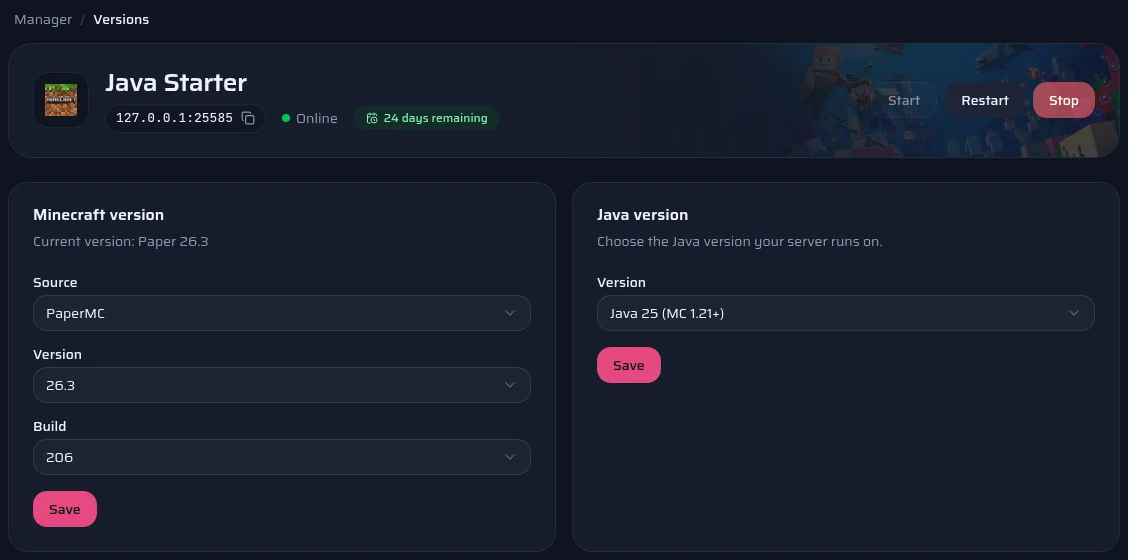
The panel's Versions page: server software, version, build and Java version.

Tune purpur.yml

On its first start, Purpur creates purpur.yml at the root of the server. Open it with the panel's file editor, change the options you want, then restart. Every option is described in Purpur's documentation.

Purpur keeps Paper's, Spigot's and Bukkit's configuration files: you find your server's settings again, on top of Purpur's own options.

Official documentation: Purpur

Your plugins

Purpur supports Bukkit, Spigot and Paper plugins: most plugins that run on Paper also run on Purpur, for the same Minecraft version. On a Purpur server, the panel's Marketplace page offers the Modrinth plugins declared compatible with Purpur, Paper, Spigot or Bukkit for your Minecraft version, and puts them in the plugins folder.

Official documentation: Modrinth
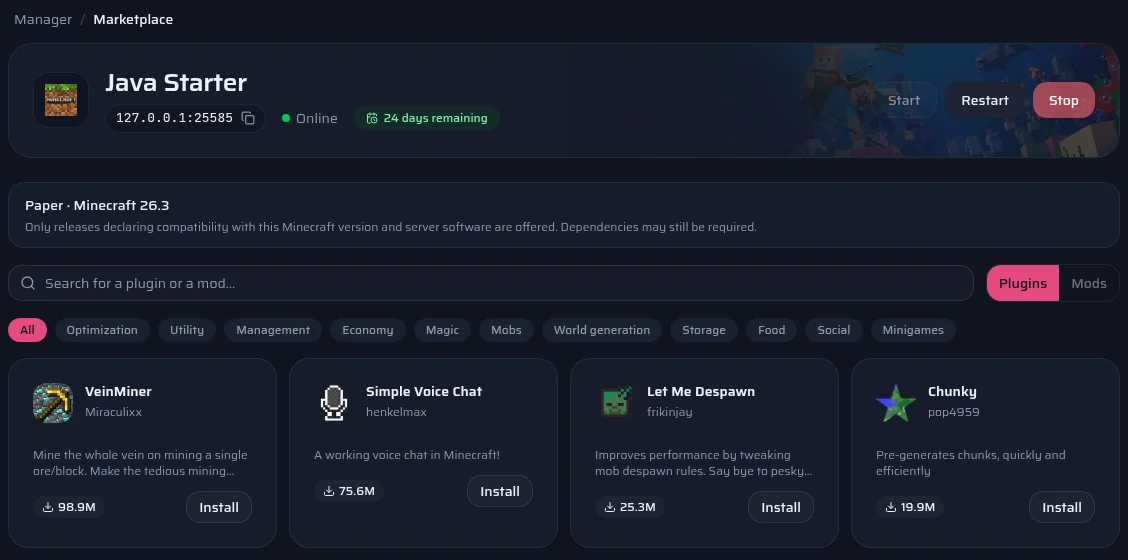
The panel's Marketplace page on a Paper server.

Which plan for your Purpur server?

The same plans as on the Minecraft Java page, with the same panel. You can change plan later.

  1. Survival with friends

    Purpur and a few plugins

    Suggested: Java Starter

    2 GB of RAM · €3.00 / month

    Order
  2. Community server

    Several plugins, an active community

    Suggested: Java Plus

    4 GB of RAM · €5.00 / month

    Order
  3. Large server

    Many plugins, several worlds or minigames

    Suggested: Java Pro

    8 GB of RAM · €7.50 / month

    Order

These suggestions are a guide: what you install matters as much as the player count. You can switch plans later.

Compare all Minecraft Java plans

Frequently asked questions

Do you have any questions or specific needs? Contact Us

In the vast majority of cases, yes: Purpur loads Paper, Spigot and Bukkit plugins. A plugin that checks the exact server software can be an exception. A plugin written for Purpur, however, does not necessarily work on Paper.

Not until you edit purpur.yml: its options default to the usual game. Players join with the normal Minecraft client.

Yes, from the Versions page, without losing your world. Paper simply ignores purpur.yml and its options.

Purpur follows Paper and often releases a little after it. The Versions page only offers versions Purpur has published; the latest ones are shown higher up on this page.

See also